Seamless Login Access & Secure Entry Experience
GroPro provides a streamlined and secure login system designed to give users quick and hassle-free access to the platform. Whether you are a new user creating an account or a returning player or coach signing back in, the process is built for convenience, speed, and reliability.
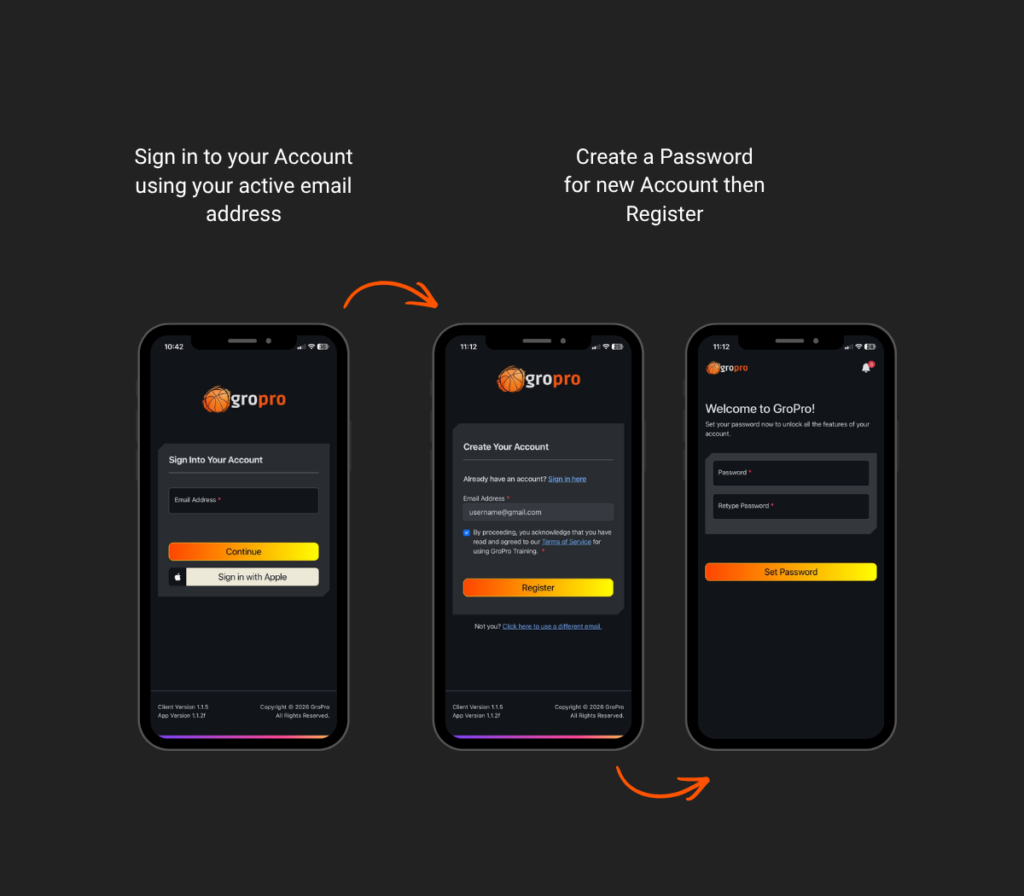
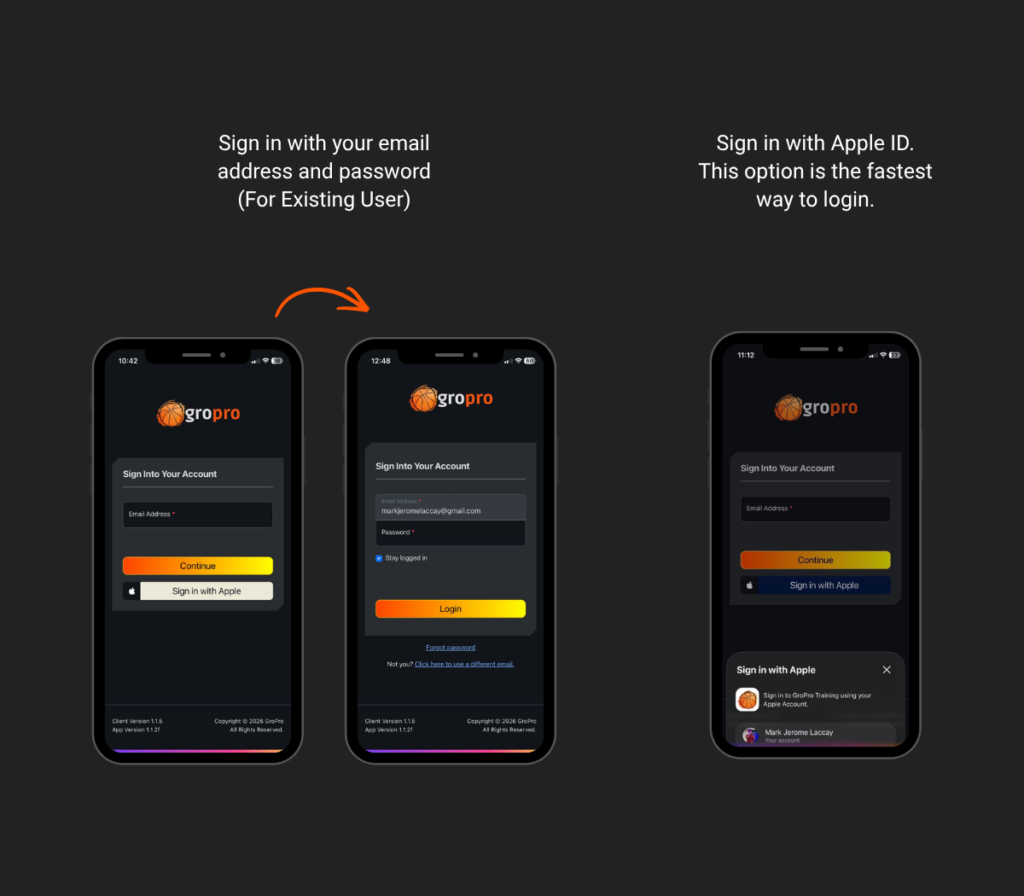
Users can easily log in using their registered email address and password, ensuring secure access to their personal account. For those who are new to the app, account creation is simple—just enter an active email address and set up a password to get started in seconds.
To further enhance the user experience, GroPro also supports Apple Sign-In, allowing users to access their accounts instantly with a single tap. This option reduces the need for manual input while maintaining a high level of security and privacy.
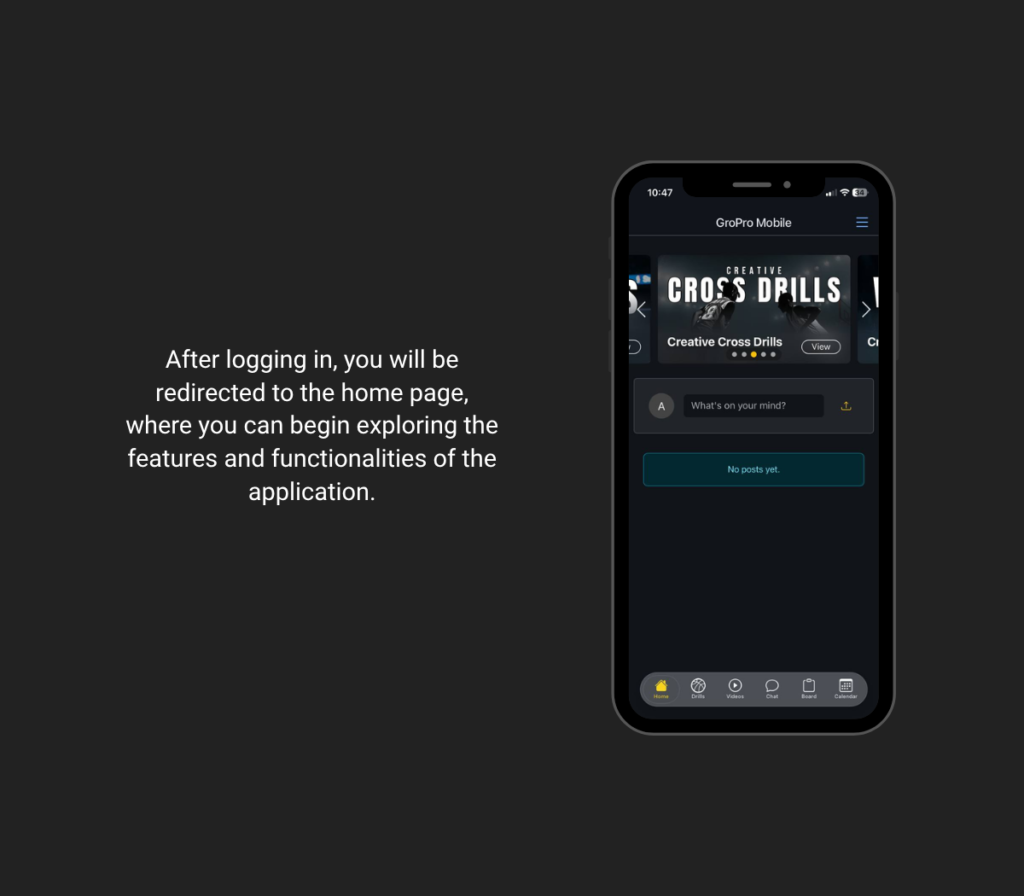
Once access is granted, users are immediately directed to the app’s main dashboard where they can begin exploring features, connecting with the basketball community, and focusing on their development.
With its seamless login access, GroPro eliminates unnecessary barriers—making it easier for every user to jump straight into training, engagement, and growth.
Here's the detailed Step-by-Step Guide
1. Open the GroPro Training App
Start by launching the GroPro app on your device. Once opened, you will automatically be directed to the main login screen where you can begin accessing your account.
2. Enter Your Email Address
On the login screen, you will be asked to input your email address. The system will automatically detect whether your email is already registered or not. If the email is already registered, you will be directed to the login section where you can enter your password. If the email is new or not yet registered, you will be guided to create a password and proceed with setting up your account. This smart flow removes the need to manually choose between login or sign-up, making the process faster and more seamless for all users.
3. Enter Your Credentials
This smart flow removes the need to manually choose between login or sign-up, making the process faster and more sFor existing users, carefully enter your registered email address and password. Double-check your details to ensure accuracy and avoid login errors. For new users, provide an active email address and create a strong, secure password. This information will be used for all future logins, so make sure it is easy to remember but difficult for others to guess.eamless for all users.
4. Use Apple Sign-In (Optional)
If you prefer a quicker and more convenient method, you can tap “Sign in with Apple.” This allows you to securely log in with just one tap, without needing to manually type your email and password. It’s ideal for users who want a faster and more seamless experience.
5. Access Your Dashboard
Once your login is successful, you will be redirected to the app’s home screen or dashboard. From here, you can start exploring all available features—such as training drills, videos, community posts, and more—allowing you to fully experience and maximize the GroPro Training App.
Take your game to the next level with GroPro. Join a growing community of players and coaches, access powerful training tools, and start improving your skills anytime, anywhere. Download the GroPro Training App today and begin your journey to becoming your best on the court.