1. Create a Drill
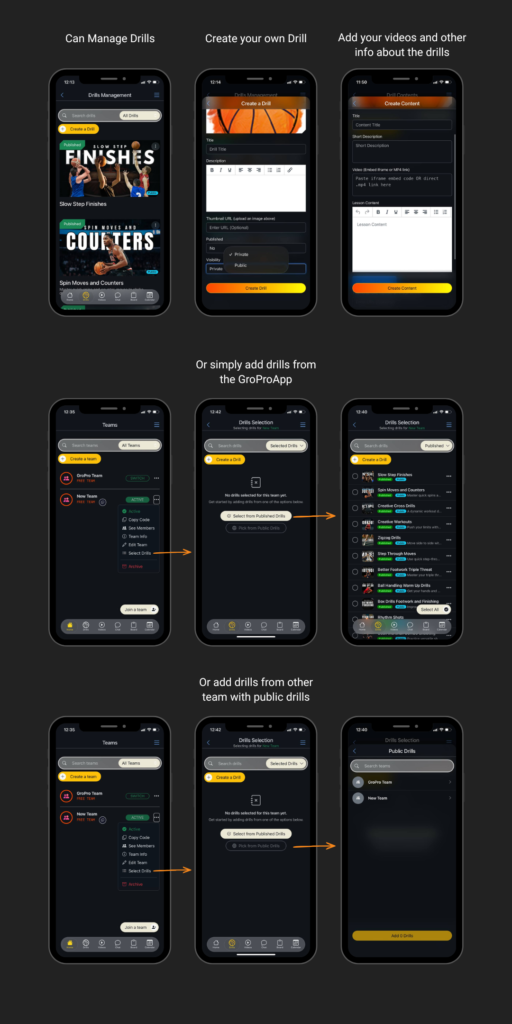
As a coach using GroPro’s premium features, you can create your own custom drills and share them with your team or make them public for other users. To get started, add a drill thumbnail, title, and description. You can also choose the visibility of your drill (public or private). After creating it, you can build the drill content by adding step-by-step instructions, titles, short descriptions, and videos. Videos can be added through a direct .mp4 link or by embedding from YouTube. You can also include lesson content and thumbnails to make your drill more engaging and easy to follow.
2. Drill Selection
Within your team (e.g., “GroPro Team”), you can select and assign drills for your players to view and follow. Simply choose from your published drills to organize and guide your team’s training effectively. You can also add drills created by other teams, as long as they are published publicly, giving you access to a wider range of training resources.